$29/year founding price
Cullibrate
vs Photo Mechanic.
Cullibrate is a drop-in replacement for many photographers at one-fifth the annual cost.
7 days free · No credit card required
See your next cull in Cullibrate.
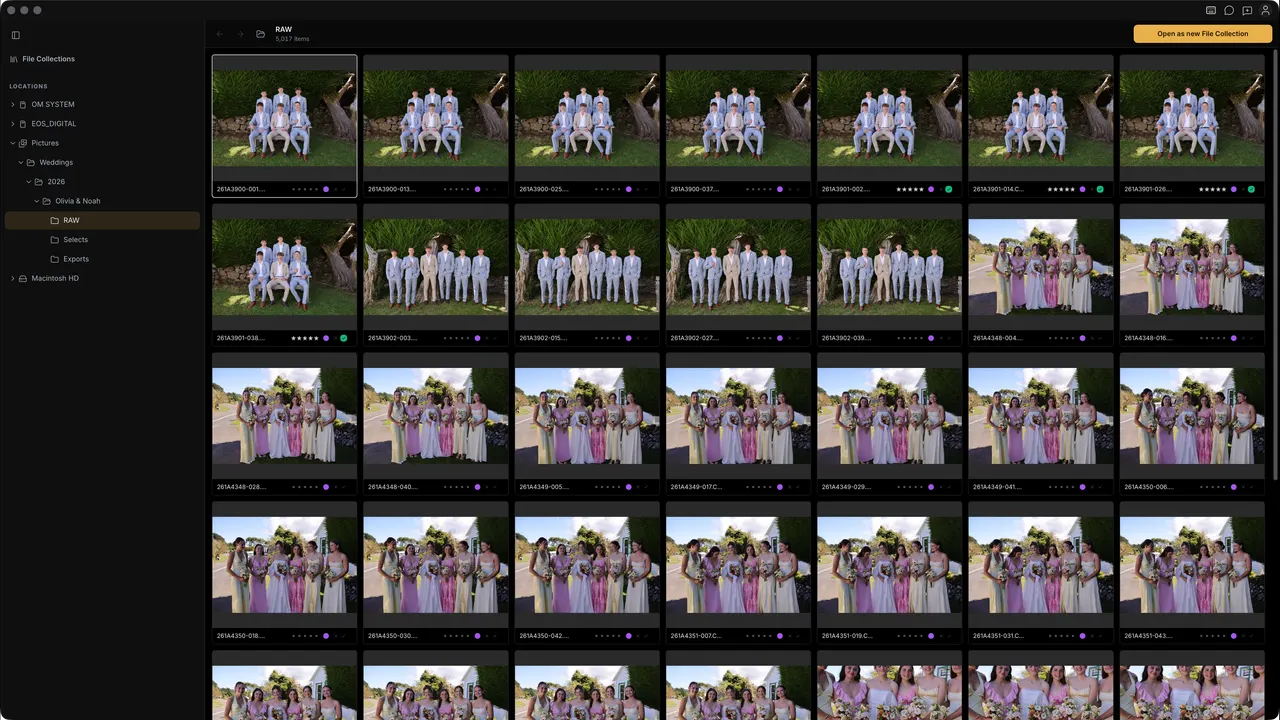
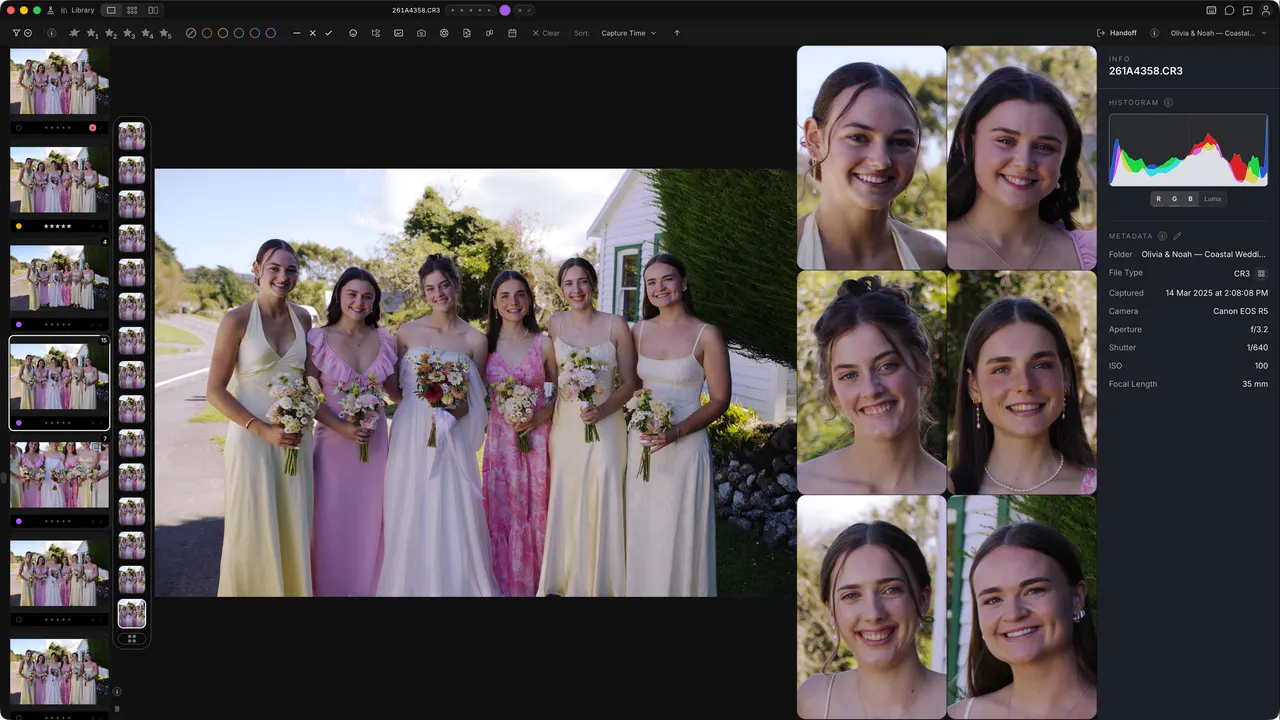
A full workspace for the whole shoot. Browse the frames, compare the details and choose your keepers.
02 / Side by side
The differences
that matter.
Switching from Photo Mechanic? Choose its keyboard layout at first run.
Cullibrate
$29/ year
Photo review at 1/5 the annual cost.
Photo Mechanic
$149/ year
Dimension
Cullibrate
Photo Mechanic
Advanced Ingestion (see below)
Yes
Yes
Browse folders and subfolders directly
Yes
Yes
Contact sheet • Preview • 2-up
Yes
Yes
Ratings, tags, and colour labels
Yes
Yes
Review filters
Extensive
Some
AI Assistance
Yes
No
Survey / Faces Survey
Yes
No
Faces Panel
Yes
No
Grouping
Yes
No
Customizable Keyboard Controls
Yes; Photo Mechanic Preset
Yes
Photo Mechanic details are summarised from Camera Bits' current documentation, release notes, and pricing page as of Oct 2026. Plans and features change; verify directly before deciding.
Ingestion
From memory card to ready-to-review.
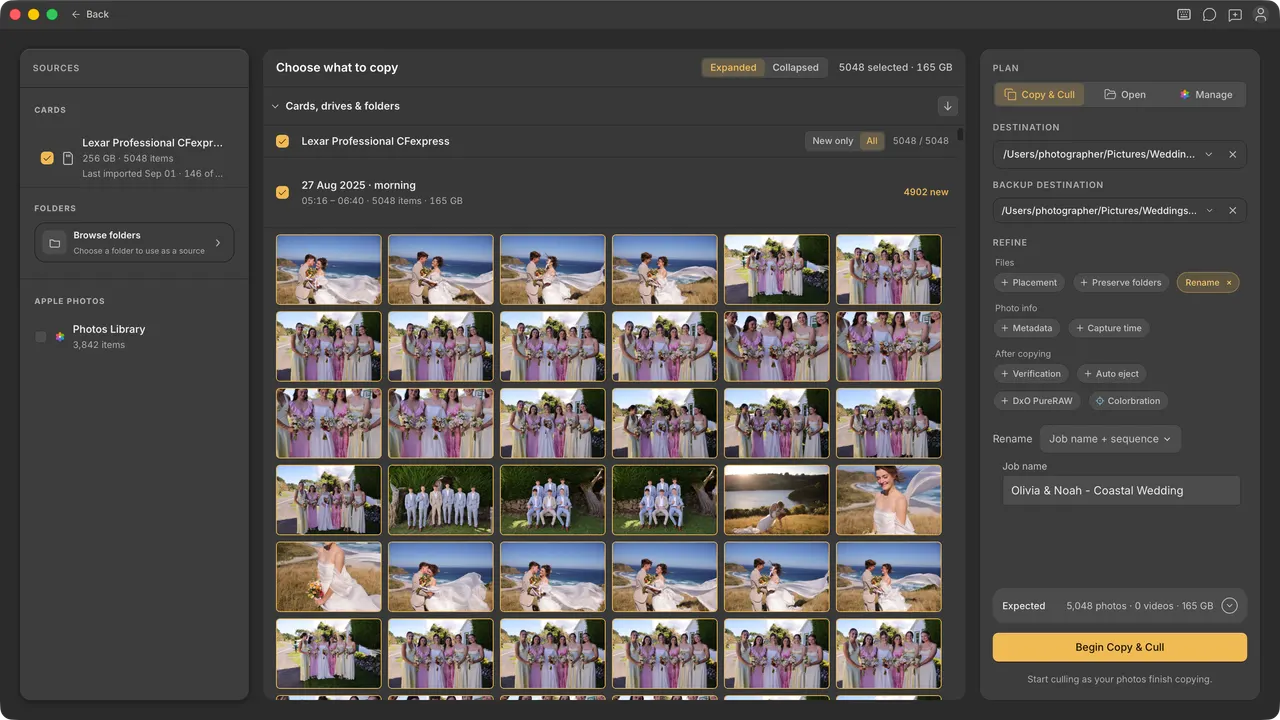
Set up the copy once. Start reviewing while your photos arrive.
01
Choose what comes in
Select a shoot, a day or individual photos. Copy only new files when you return to a card.
02
Organise as you copy
Rename files, preserve source folders and apply your metadata template during ingest.
03
Make a second copy
Send photos to a primary destination and a backup in the same ingest.
Ingestion
Dimension
Cullibrate
Photo Mechanic
Multiple-card ingest
Yes
Yes
Review while copying
Yes
Yes
Primary and backup copies
Yes
Yes
Copy only new files
Yes
Yes
Choose what to copy
Shoot / Day / Basic
Basic
Preserve source folders
Yes
Yes
Advanced renaming
Yes
Yes
Metadata templates
Yes
Yes
AI Assistance
Find the expression worth keeping.
Bring related frames and the details that matter into view.
Grouping
Keep similar shots together so each sequence is easier to review.
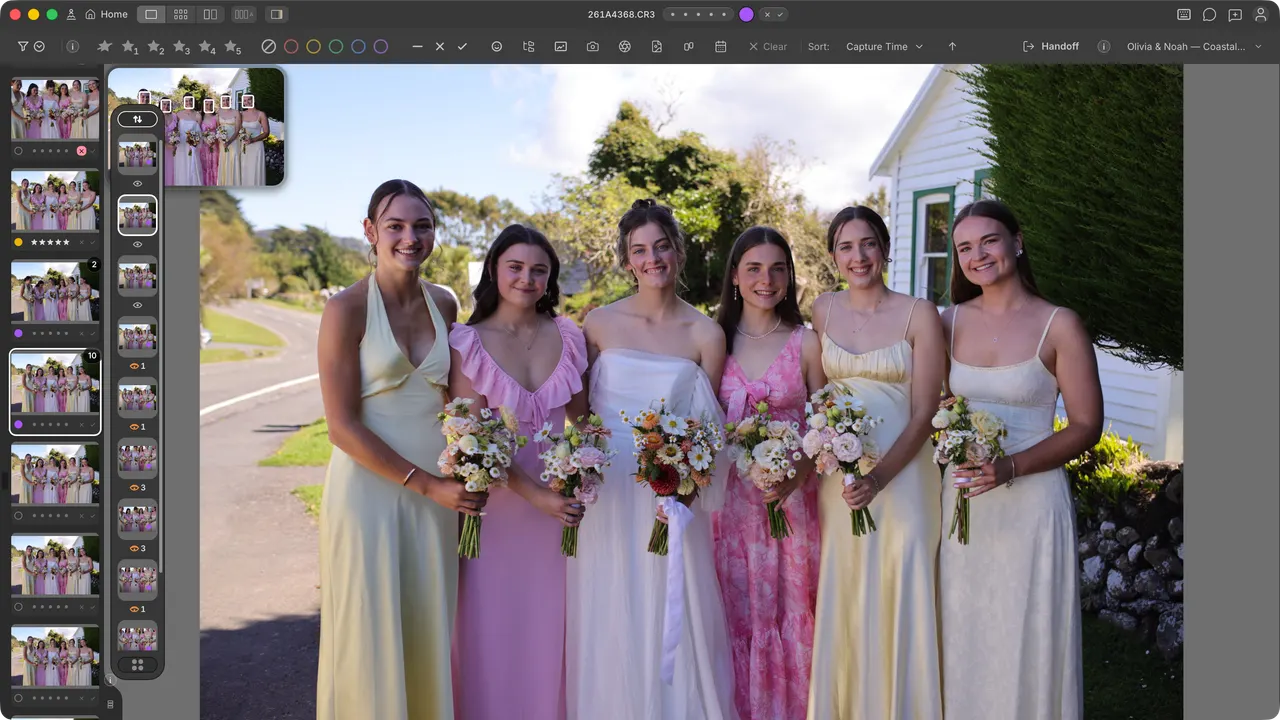
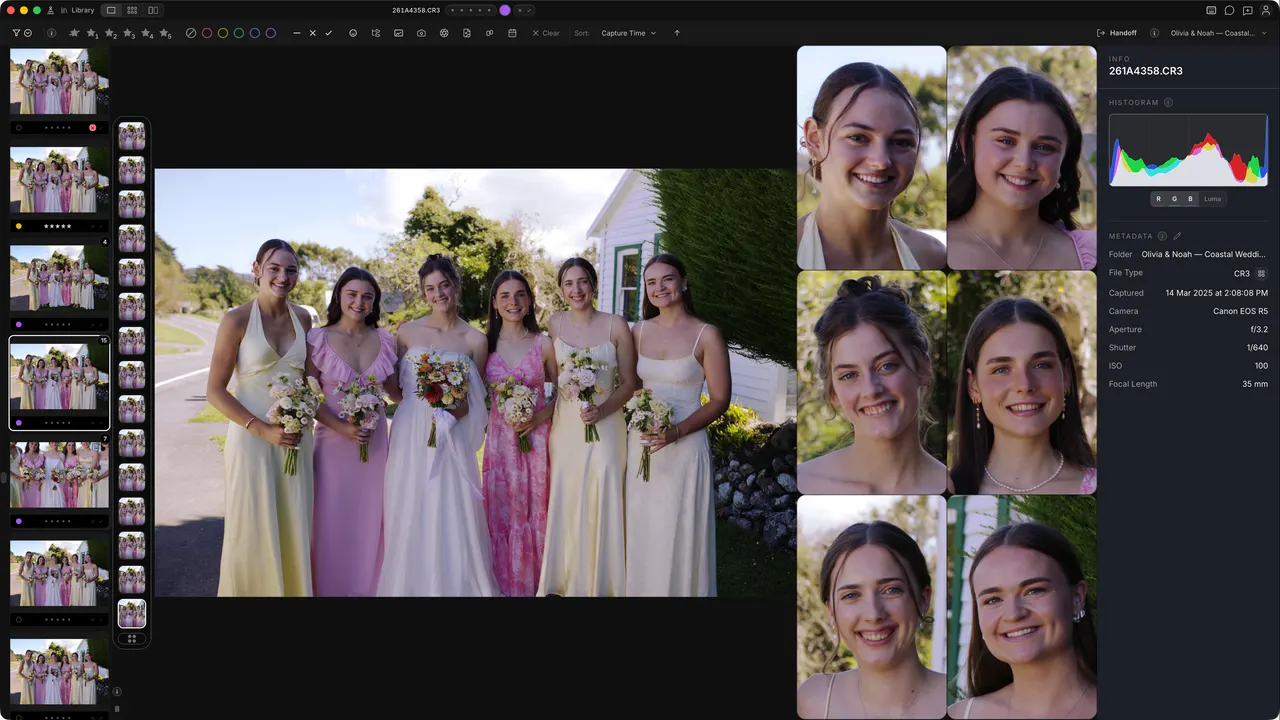
Faces Panel
Inspect faces alongside the full image without repeatedly zooming in and out.
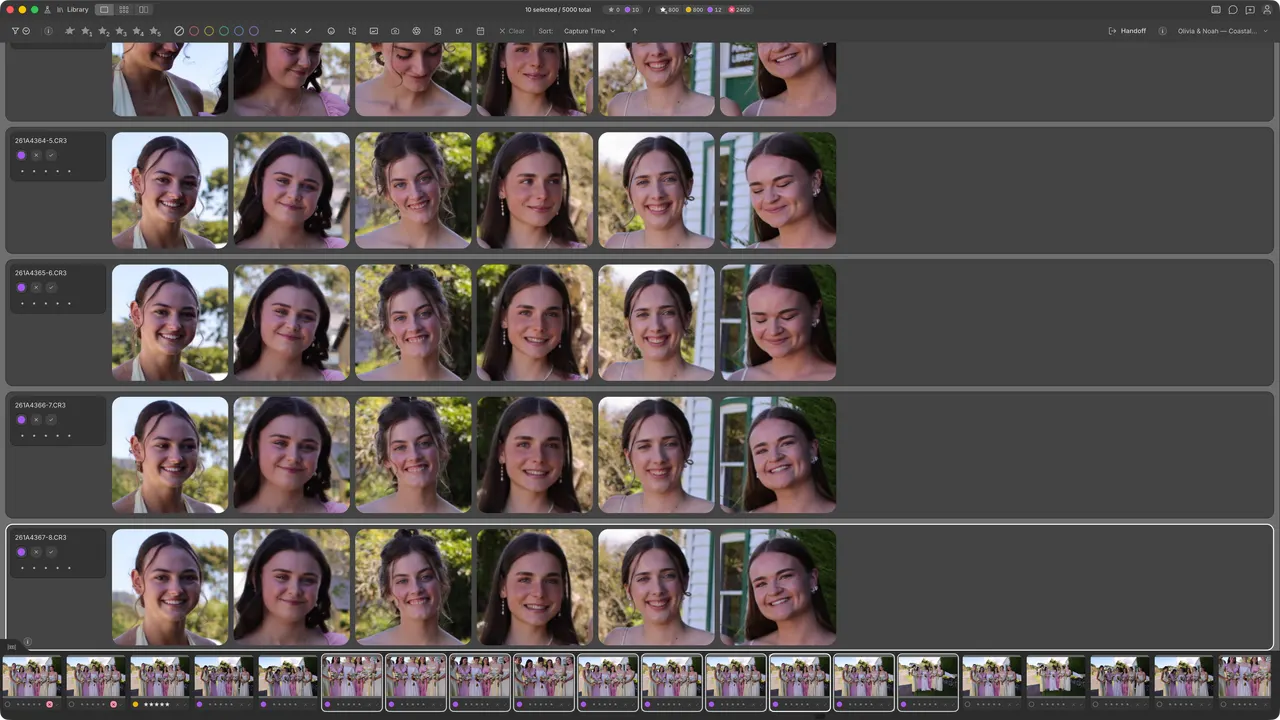
Faces Survey
Put expressions side by side and choose the moment you want to keep.
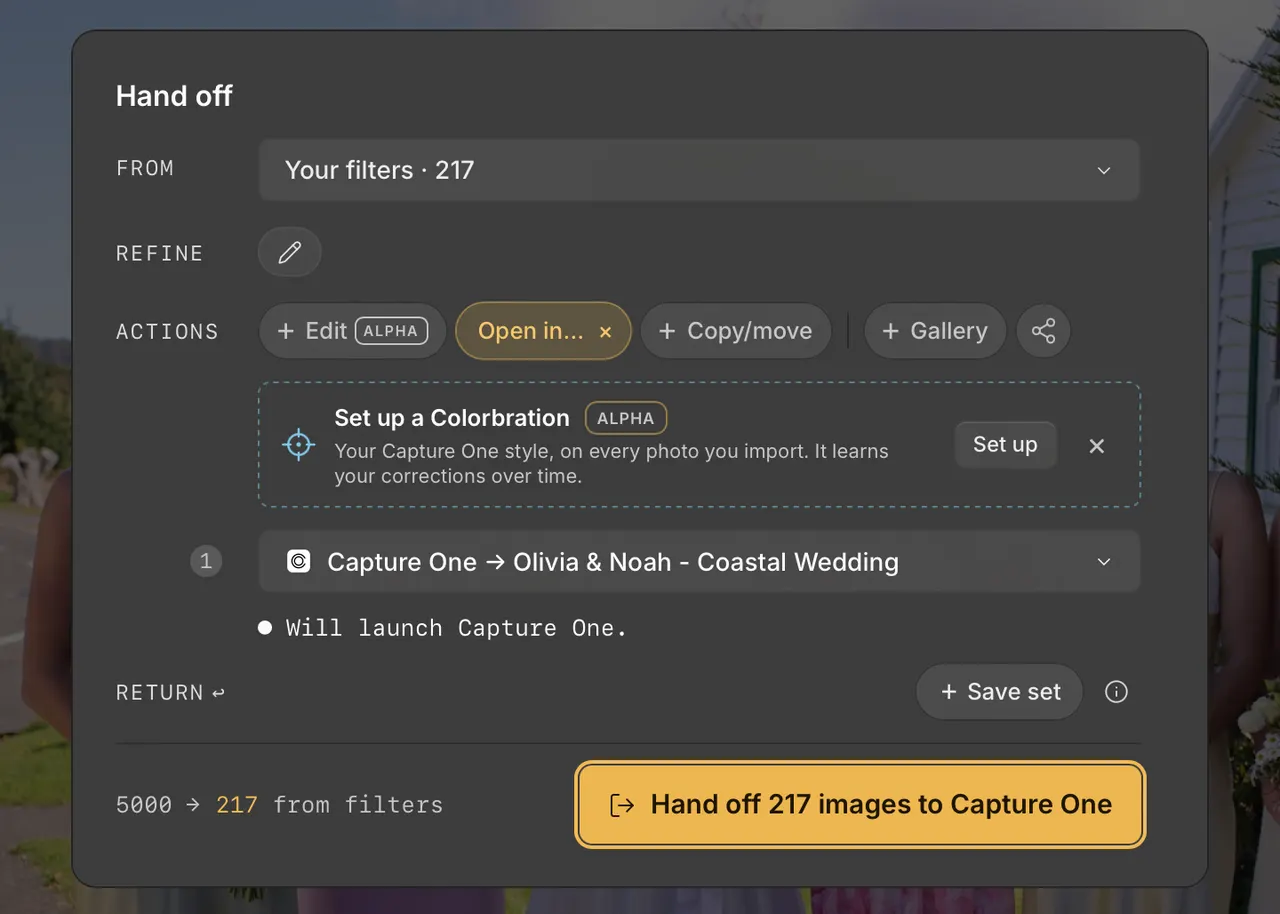
Editor handoff
Keep your editor. Upgrade your review workspace.
Finish your selection in Cullibrate, then send it to Lightroom, Photoshop or Capture One.
Lightroom · Photoshop · Capture One
Your shortcuts can come too.
Choose the Photo Mechanic keyboard preset at first run, then customise the controls to suit you.
7 days free · No credit card required
Before your first shoot.
Can I keep using my editor?
Yes. Cullibrate hands off your selected photos to Lightroom, Photoshop and Capture One.
Will it work with my photos and computer?
Cullibrate supports RAW photo review on Mac and Windows. Check the download page for current builds and try a familiar shoot during your free trial.
Do I have to upload my photos?
Ordinary photo review and culling stay on your computer. Client Galleries, Instagram publishing and Colorbration learning are the only things that upload.
What happens after the free trial?
You get 7 days to try Cullibrate without a credit card. After that, choose a paid plan to continue. You are not charged automatically.
Does the founding price increase next year?
The founding plan renews at $29/year for as long as your paid subscription stays active.
Photo Mechanic 6 and Plus on Apple silicon
Planning for macOS 28.
Camera Bits says Apple has announced macOS 27 as the last version with general support for Intel-based apps. From macOS 28, Photo Mechanic 6 will no longer run on Apple silicon Macs. The notice covers Photo Mechanic 6 and Photo Mechanic Plus licences bought on or before 11 March 2024.
Photo Mechanic 6 owners can get upgrade pricing for the current Photo Mechanic, which runs natively on Apple silicon. Photo Mechanic Plus is no longer sold, so Camera Bits says no version of it will work on Apple silicon once Rosetta support ends. Camera Bits notes that staying on a compatible macOS keeps Photo Mechanic 6 running for a while.
Camera Bits recommends retrieving your upgrade coupon while Photo Mechanic 6 still opens. If you are weighing a switch instead, Cullibrate runs natively on Apple silicon and includes a Photo Mechanic keyboard preset.
Switching from Photo Mechanic$29/year founding price
Try it on a shoot you already know.
Bring a familiar set of photos. See how the browsing, faces and handoff fit the way you work.