$29/year founding price
Cullibrate
vs Narrative.
Cullibrate covers similar ground with improved speed at a fraction of the cost.
7 days free · No credit card required
See your next cull in Cullibrate.
A full workspace for the whole shoot. Browse the frames, compare the details and choose your keepers.
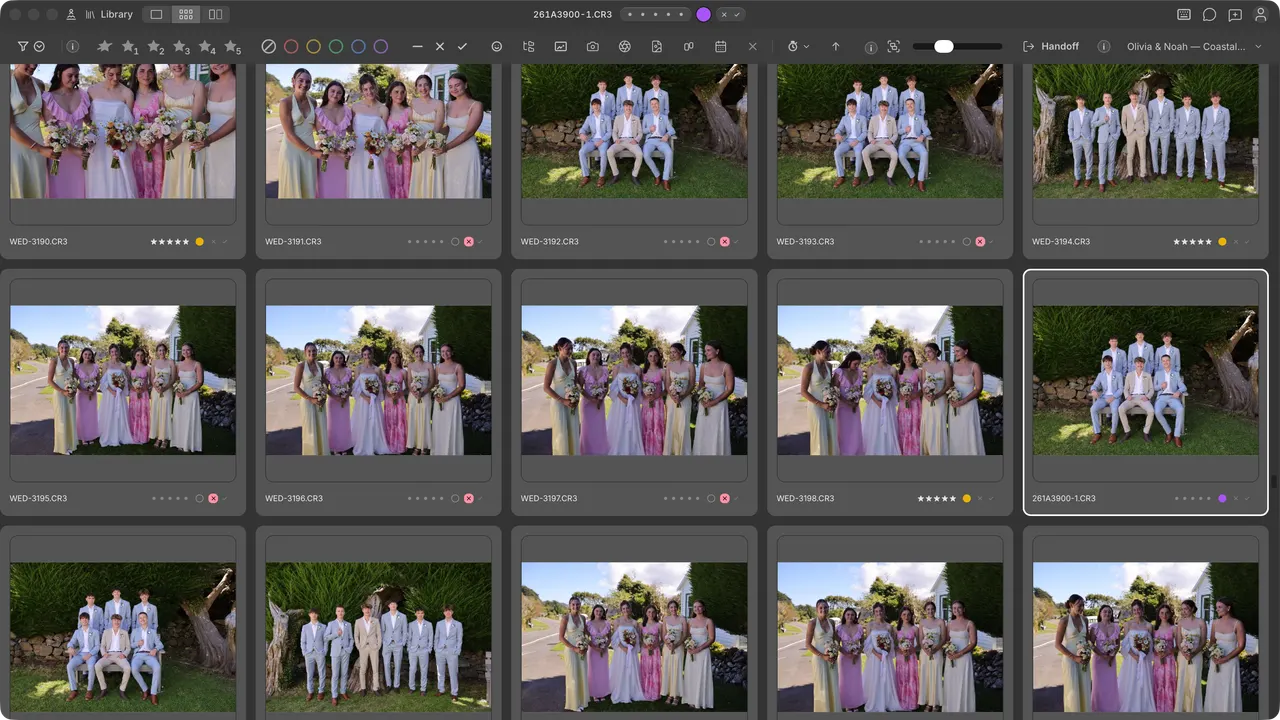
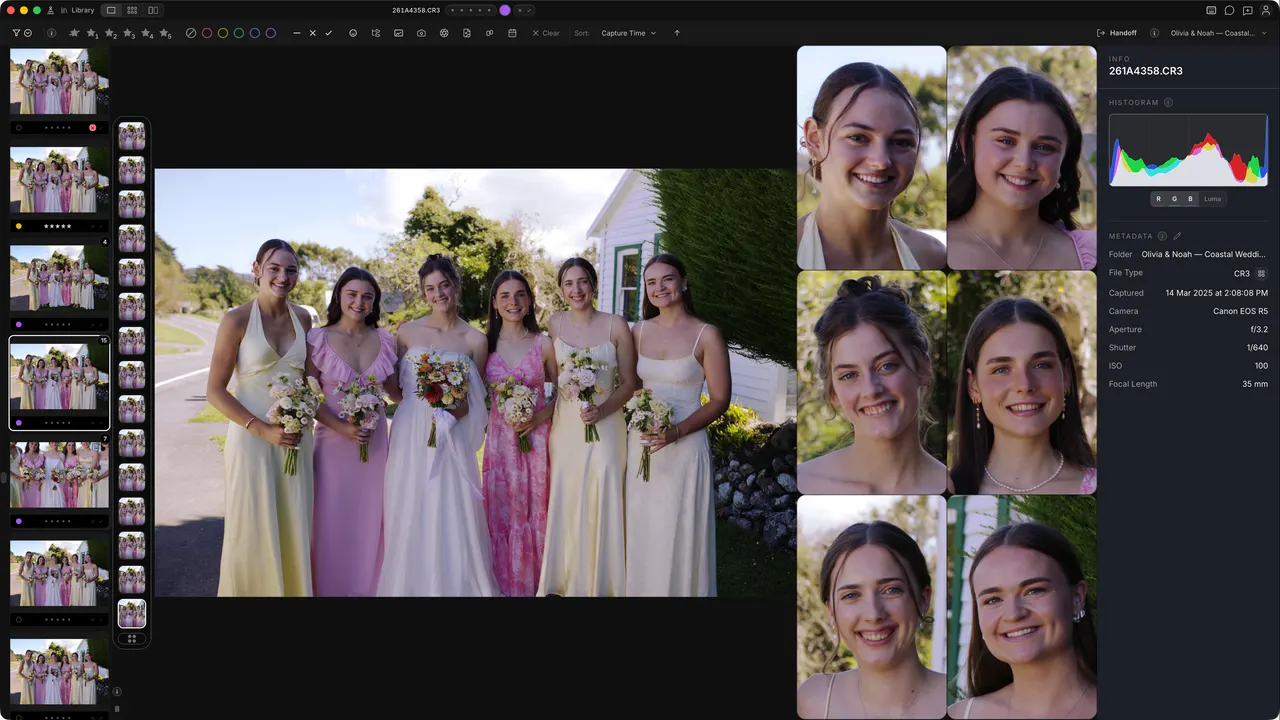
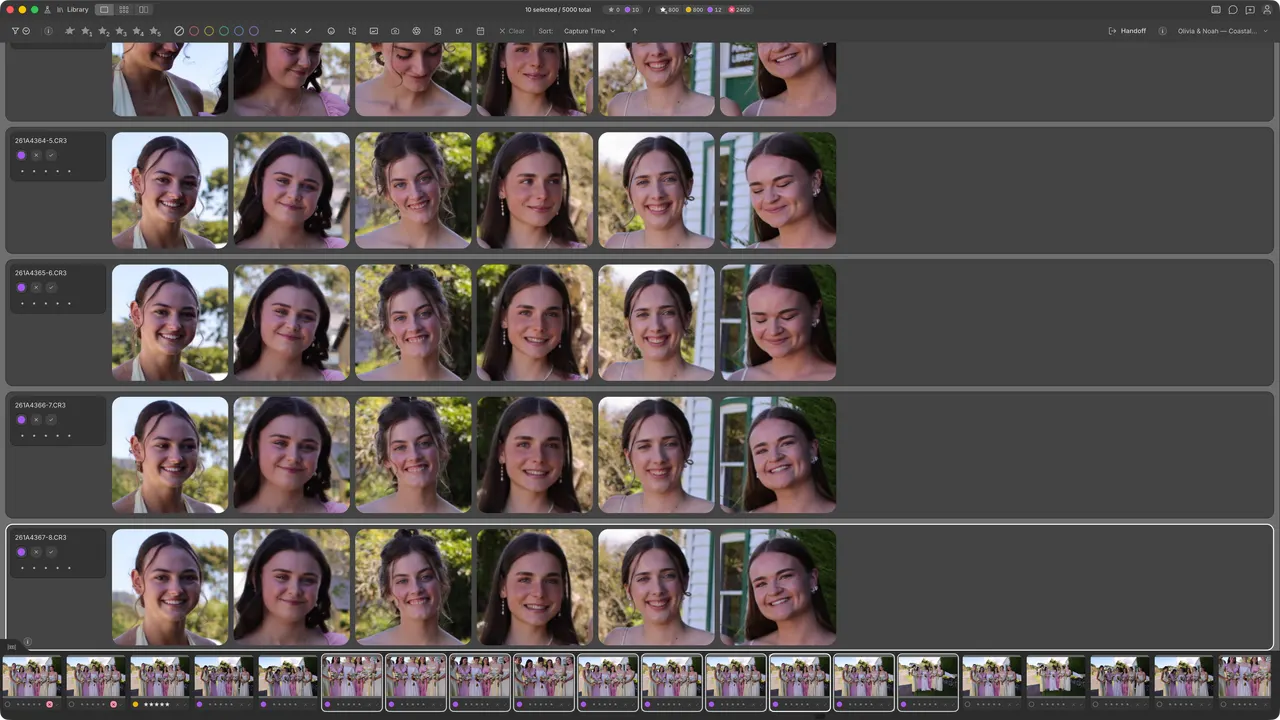
02 / Side by side
The differences
that matter.
Cullibrate
$29/ year
One year of Cullibrate for the normal price of one month of Narrative Standard.
Narrative
$29/ month
Dimension
Cullibrate
Narrative
Faces panel
Yes
2nd+ tier
$29 / month
Shot grouping
Yes
2nd+ tier
$29 / month
Survey mode (faces)
Yes
2nd+ tier
$29 / month
Image presentation
Fast full-image display
Blurred image transition
Optional higher-res RAW previews
Yes
No
Survey mode within Loupe / Grid
Yes
No
Import speed
< 1s
< 3s
Handoff to Lightroom · Photoshop · Capture One
Yes
Yes
Face-centric zoom
Yes
Yes
Unlimited imports & images
Yes
Yes
Crop and level
Yes
Yes
Image renaming + change capture time
Yes
Yes
AI-assessments: rank + filter
Yes
2nd+ tier
$29 / month
Focus scores
Built into ranking
Yes
Video playback
Mac · Windows (some codecs)
No
Apple Photos
Yes
No
Client Galleries
Yes*
No
* Client Galleries are not presently available during the free trial.
Comparison points are summarised from Narrative's public marketing, documentation, and in-app observations as of Oct 2026. Verify directly before deciding.
AI Assistance
Find the expression worth keeping.
Bring related frames and the details that matter into view.
Grouping
Keep similar shots together so each sequence is easier to review.
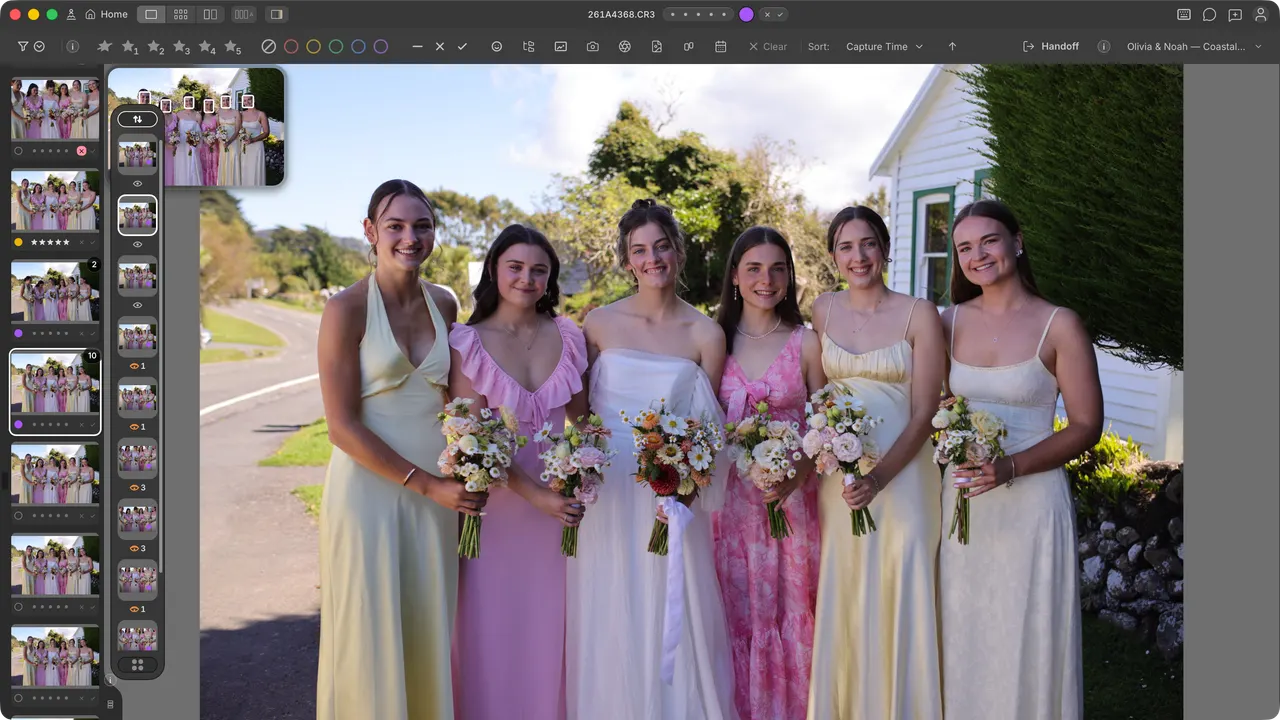
Faces Panel
Inspect faces alongside the full image without repeatedly zooming in and out.
Faces Survey
Put expressions side by side and choose the moment you want to keep.
Ingestion
From memory card to ready-to-review.
Set up the copy once. Start reviewing while your photos arrive.
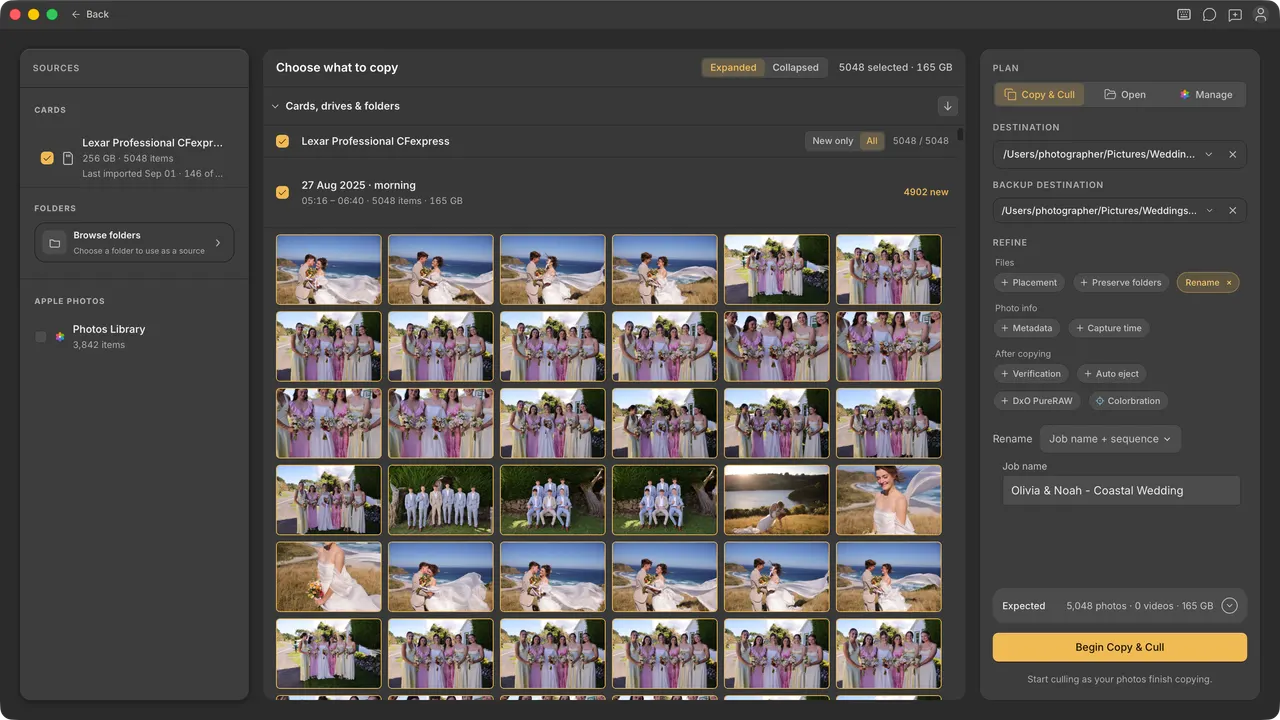
01
Choose what comes in
Select a shoot, a day or individual photos. Copy only new files when you return to a card.
02
Organise as you copy
Rename files, preserve source folders and apply your metadata template during ingest.
03
Make a second copy
Send photos to a primary destination and a backup in the same ingest.
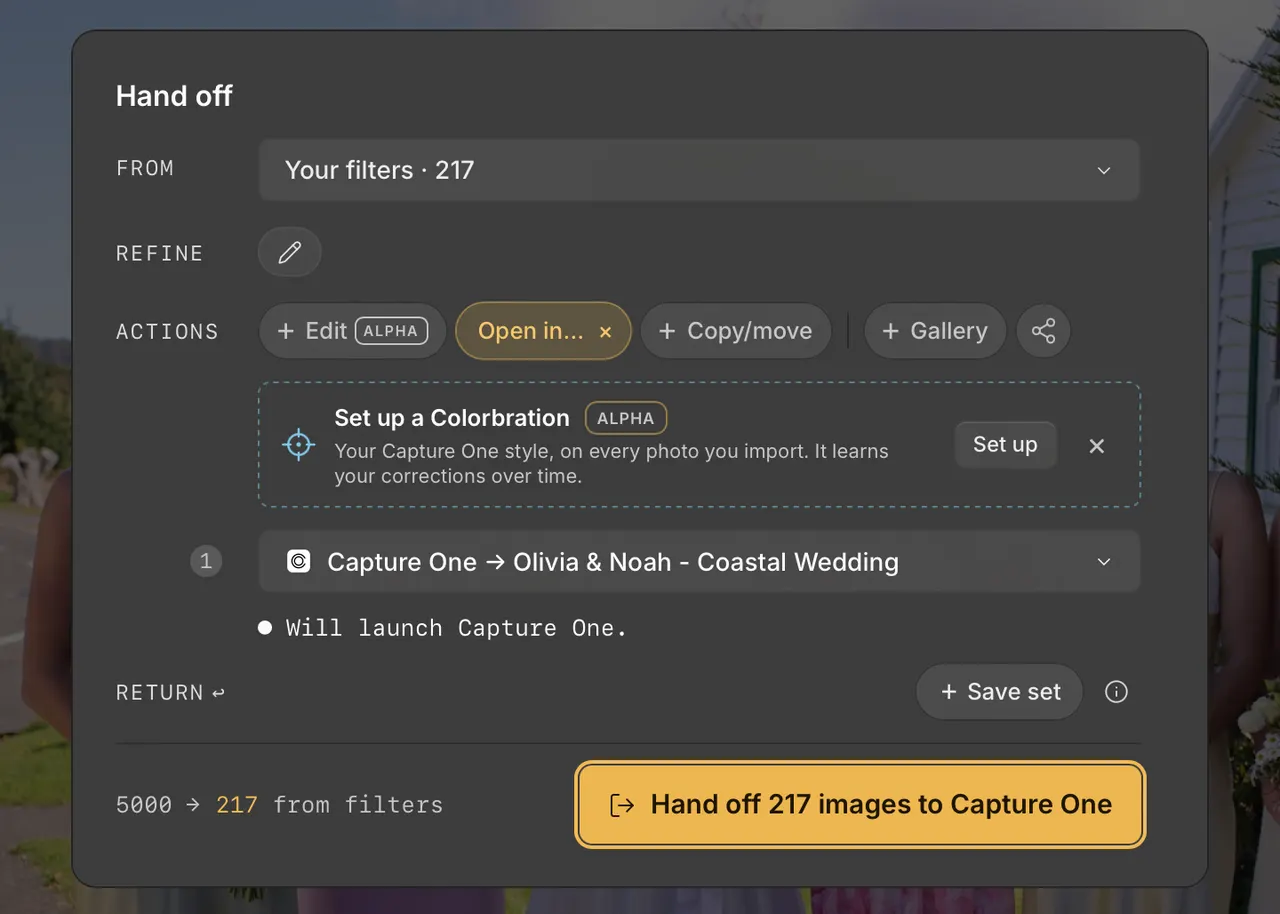
Editor handoff
Keep your editor. Upgrade your review workspace.
Finish your selection in Cullibrate, then send it to Lightroom, Photoshop or Capture One.
Lightroom · Photoshop · Capture One
7 days free · No credit card required
Before your first shoot.
Can I keep using my editor?
Yes. Cullibrate hands off your selected photos to Lightroom, Photoshop and Capture One.
Will it work with my photos and computer?
Cullibrate supports RAW photo review on Mac and Windows. Check the download page for current builds and try a familiar shoot during your free trial.
Do I have to upload my photos?
Ordinary photo review and culling stay on your computer. Client Galleries, Instagram publishing and Colorbration learning are the only things that upload.
What happens after the free trial?
You get 7 days to try Cullibrate without a credit card. After that, choose a paid plan to continue. You are not charged automatically.
Does the founding price increase next year?
The founding plan renews at $29/year for as long as your paid subscription stays active.
$29/year founding price
Try it on a shoot you already know.
Bring a familiar set of photos. See how the browsing, faces and handoff fit the way you work.