Handoff adds your selects to a Lightroom Classic catalog on Mac or Windows. Cullibrate opens the catalog you choose, starting or restarting Lightroom Classic if needed, and opens Lightroom's Import dialog with exactly your selects ready.
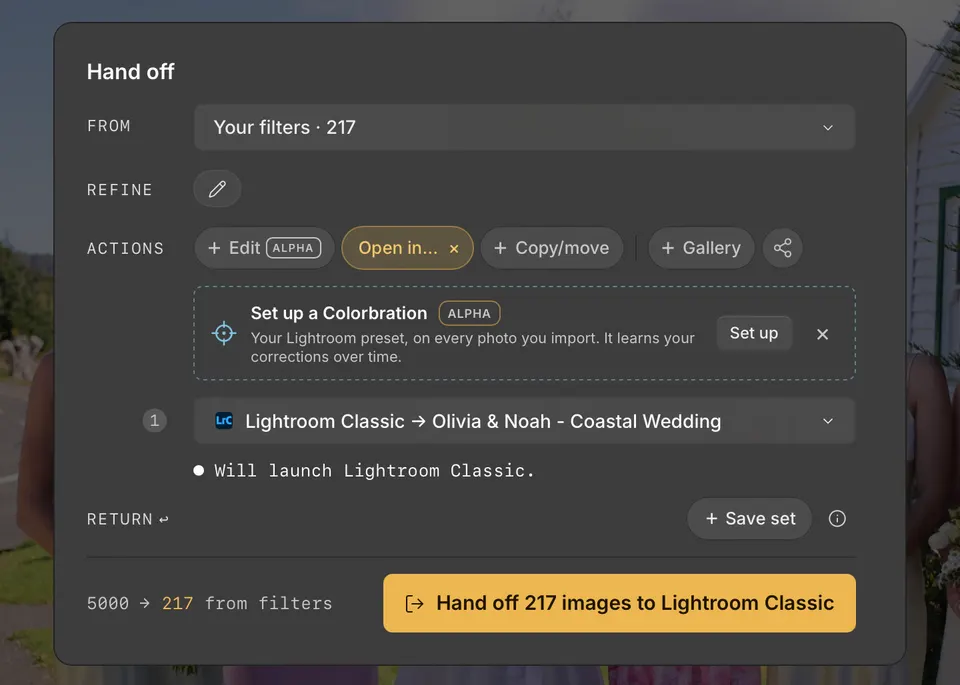
Send your selects
- Press H to open Handoff, and choose your selects with From and Refine.
- Under Actions, click Open in…, then point to Lightroom Classic.
- Choose a catalog: the one already open, a recent catalog, Choose existing… to pick a catalog file, or + New catalog… to create one.
- Click the Handoff button, such as Hand off 217 images to Lightroom Classic.
- In Lightroom Classic, check the photos in the Import dialog and click Import.
Under the catalog, Handoff tells you what will happen: Lightroom Classic is already running with that catalog open, will launch, or will restart to open it. Lightroom Classic reads compatible ratings, colour labels, and flags from the XMP Cullibrate saves as you cull.
Create a new catalog
+ New catalog… asks for a catalog name and location. The name starts as your collection name. If a catalog with that name is already in that location, Handoff opens it instead of creating another.
New catalog defaults
When creating a new Lightroom Classic catalog, choose Change beside the XMP and Backups summary. These defaults apply only to catalogs Cullibrate creates. They never change an existing catalog. Changes are saved immediately and also appear in Handoff preferences.
Auto-write XMP
This is Lightroom's “Automatically write changes into XMP” setting in Catalog Settings → Metadata. Cullibrate enables it for new catalogs so Lightroom can save metadata changes to XMP as you edit. Turning it off still saves your work in the Lightroom catalog; you can save metadata to files manually in Lightroom.
Catalog backup schedule
Lightroom calls this setting “Back Up Catalog” in Catalog Settings. It controls when Lightroom offers to back up the catalog as you quit, rather than running a backup while you work.
- Lightroom default leaves the new catalog's original backup schedule unchanged.
- Choose every exit, once a day, once a week, or once a month. Daily, weekly, and monthly backups are offered on exit when the interval is due.
- Never turns off Lightroom's scheduled catalog backups.
If Lightroom is missing photos
If Lightroom's Import dialog does not show every photo, Handoff says how many are missing. JPEGs beside RAW files appear only when Treat JPEG files next to raw files as separate photos is on in Lightroom Classic's General preferences. Close Lightroom's Import dialog, then retry the handoff.