Survey lays the photos you are choosing between side by side and shrinks the set as you remove candidates, until one is left. Use it on a burst, a group, or any handful of photos you have selected.
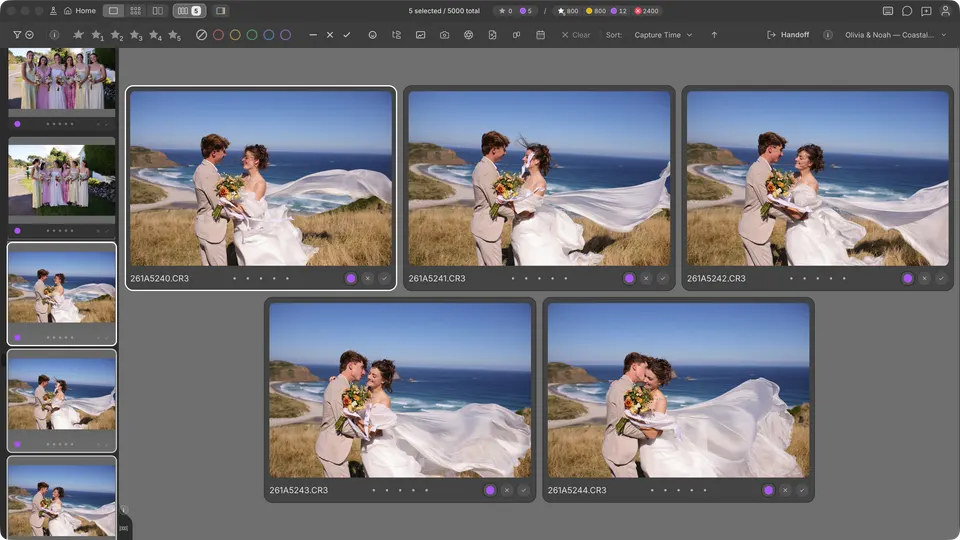
How Survey opens
With Auto-survey on, selecting several photos opens Survey by itself: two or more in Filmstrip, three or more in Compare. Grid leaves Auto-survey off by default, so selected photos stay in the grid until you ask.
- N — open or close Survey for your selection, or for the whole group of the current photo.
- ShiftN — turn Auto-survey on or off.
- In Grid, Space surveys the photos you have selected.
- The Survey control in the title bar shows how many photos are in the survey. Click it to choose the views where Auto-survey applies, or right-click it to switch Survey on or off.
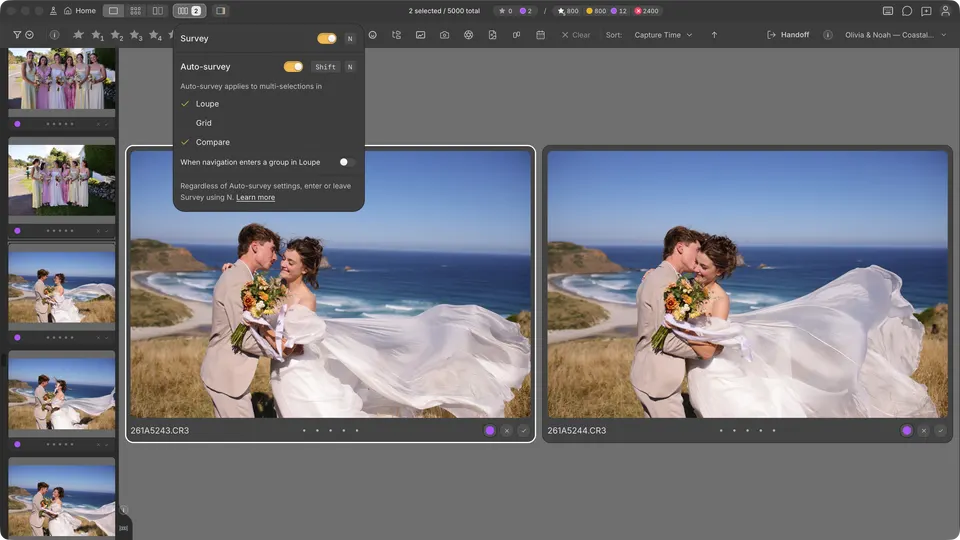
Pick the keeper
- Move the highlight with the arrow keys. Rating keys apply to the highlighted photo, and each photo has its own bar for stars, colour, Tag, and Reject.
- Press D, or click the × on a photo, to remove it from the survey. It leaves the comparison, not your file collection, and the nearest photo takes the highlight.
- Keep removing. When one photo is left, Survey closes and that photo stays active. In Compare, Survey closes when two are left and returns to Select and Candidate.
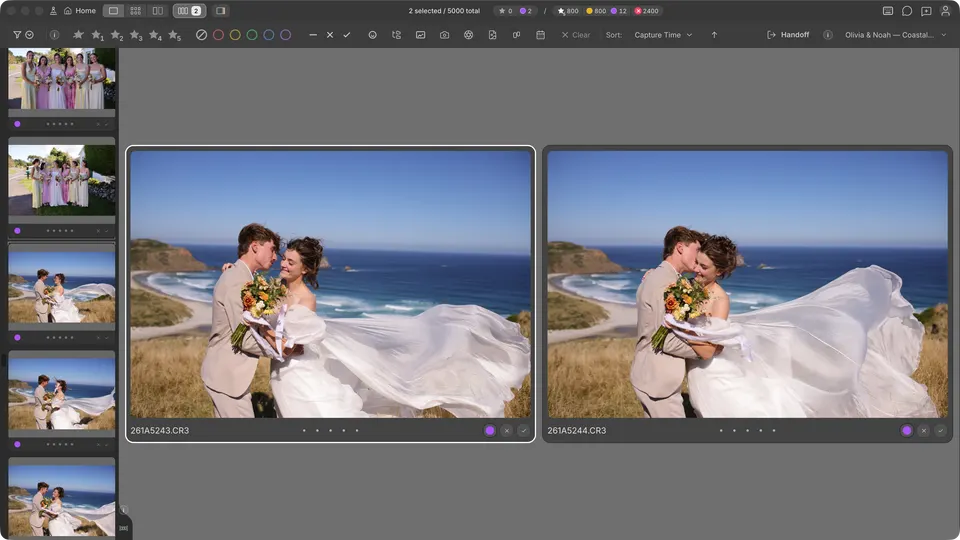
How the layout works
Survey keeps your photos in filmstrip order. Up to eight photos are arranged in balanced rows, sized so every photo shows the same amount of image: portrait frames grow taller and landscape frames wider. Larger sets scroll in a four-column grid.
Zoom and faces in Survey
- Point at a photo and scroll, or double-click it, to zoom every photo in the survey, then drag to pan them together. Double-click again to return to Fit.
- Hold Option on Mac or Alt on Windows while you scroll or drag to zoom or move only one photo.
- Space frames the detected faces in each photo. Press it again to return to Fit.
- Cmd/ on Mac / Ctrl/ on Windows switches to Face Survey — see Using the Faces panel and Face Survey.
Leave Survey
Press Esc or N. After you close Survey yourself, Auto-survey waits until your selection changes before opening it again.