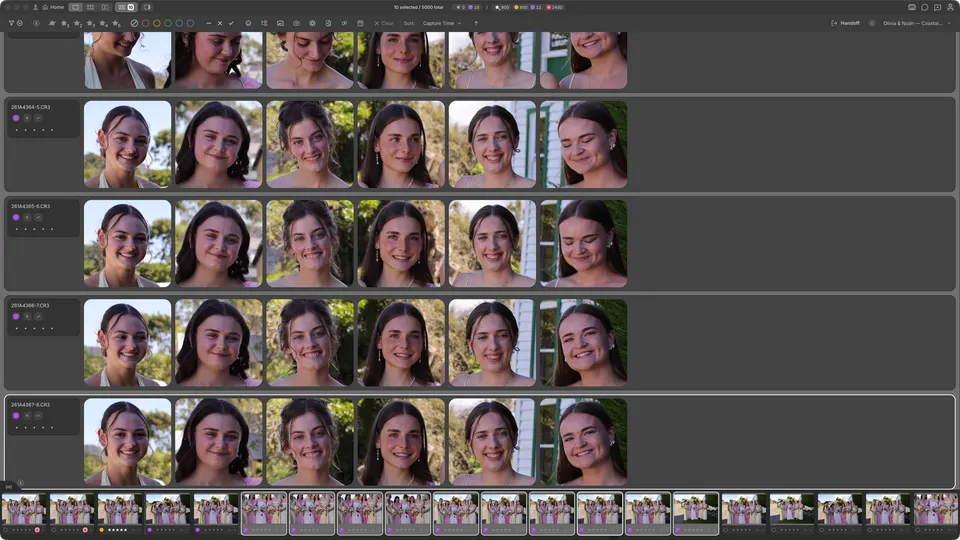
Cullibrate gives you six ways to inspect the same shoot. Grid, Filmstrip, and Compare are workspace views. Survey and the Faces panel can be combined for Face Survey, while Space switches a large preview between Fit and detail zoom.
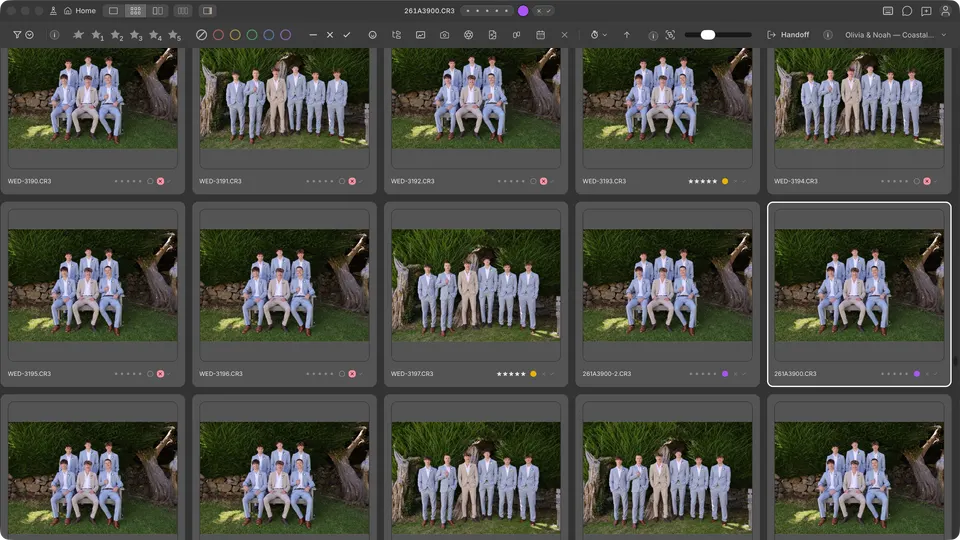
Grid (G)
Use Grid for the broad pass across a shoot. Change thumbnail size from the toolbar, and use the arrow keys to move the active photo without leaving the grid.
Zoom (Space)
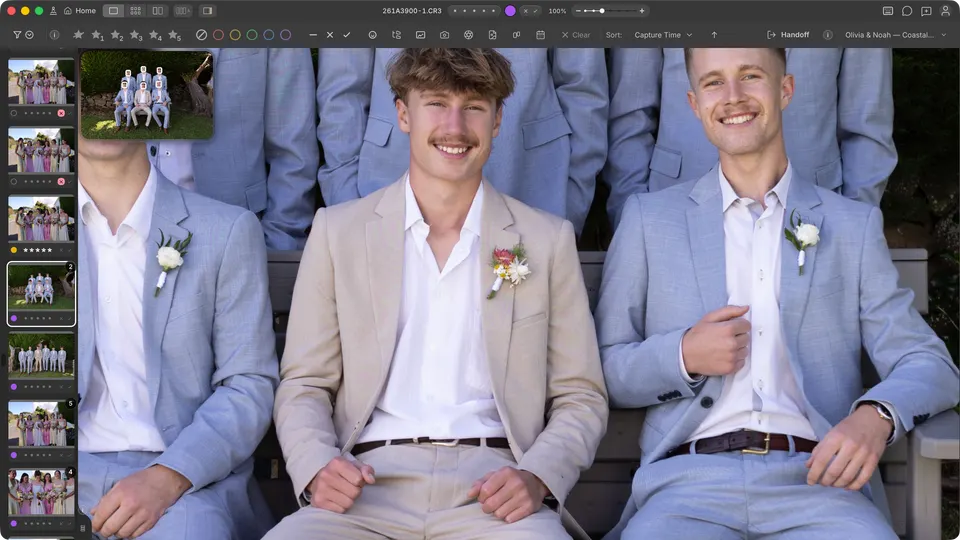
In a large preview, press Space to switch between Fit and detail zoom. Use it to inspect sharpness and fine detail, then press Space again to return to the fitted photo.
Crop and level
In a large photo preview, press R to open Crop & level. If you are zoomed in, the crop starts around the part of the photo you were viewing. Drag a corner to resize it; with a fixed aspect ratio, dragging between a wide and tall shape changes its orientation. You can also click Swap aspect orientation.
Click Apply to save the crop, or Cancel crop to discard your changes. Moving to another photo applies a pending crop; to require Apply or Cancel crop first, turn off Image transitions apply pending crops in General preferences.
Survey (N)
With Auto-survey on, selecting several photos in Filmstrip or Compare opens Survey by itself. In Grid, select two or more photos and press N. Remove photos from the survey as you narrow the candidates — see Using Survey.
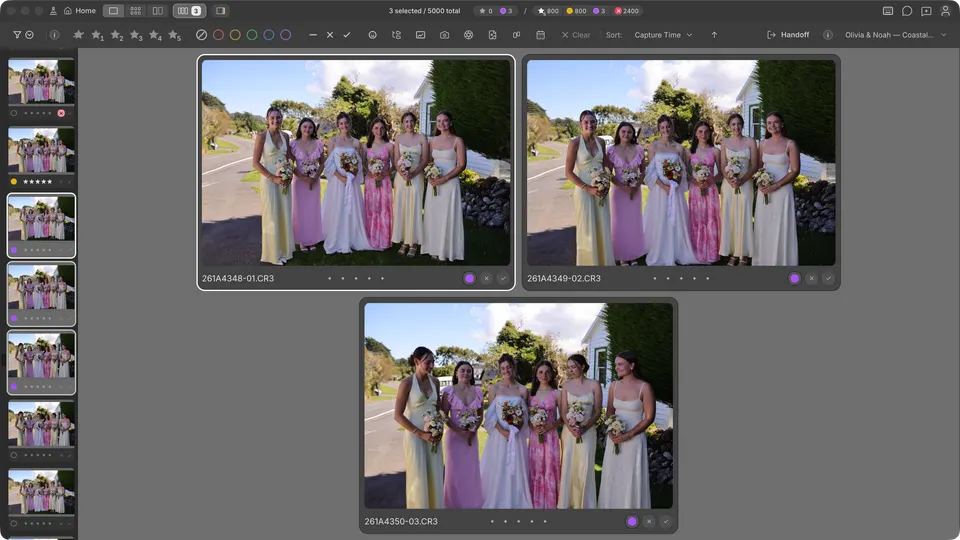
Double-click a photo in Survey to zoom in, then drag to pan. Zoom and pan stay linked across the selected photos so you can compare the same area. Double-click again to return to Fit.
Face Survey
Start with a photo in a group or select two or more photos manually. Press Cmd/ on Mac / Ctrl/ on Windows to compare their faces directly. Press the same shortcut again to leave Face Survey.
Filmstrip (L)
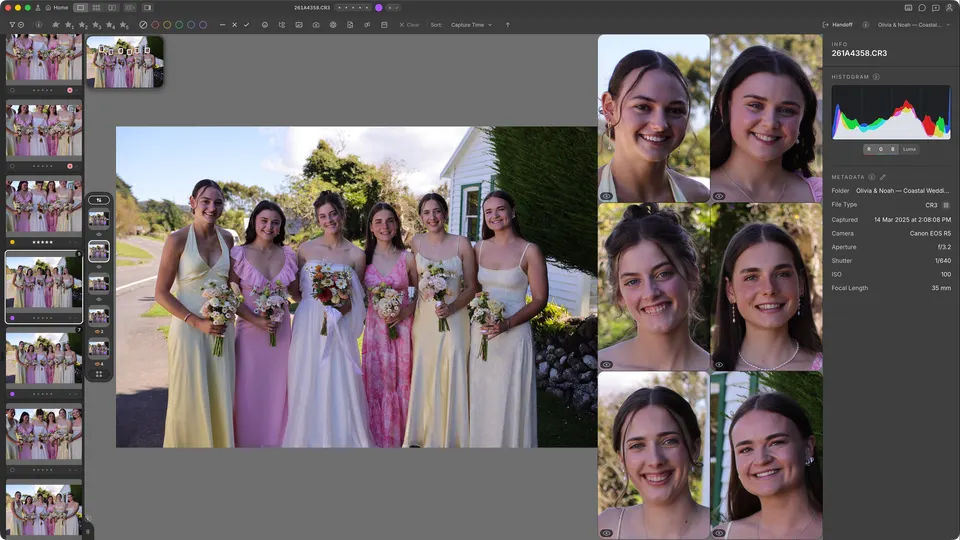
Press L for one large photo with a scrolling thumbnail strip. The filmstrip can sit on the left, along the bottom, or at the far right; a new install starts on the left, or along the bottom on a very wide window. If you tell the first-run welcome this is your first photo selection app, it moves to the bottom. Keyboard preferences call this view Loupe.
Compare (C)
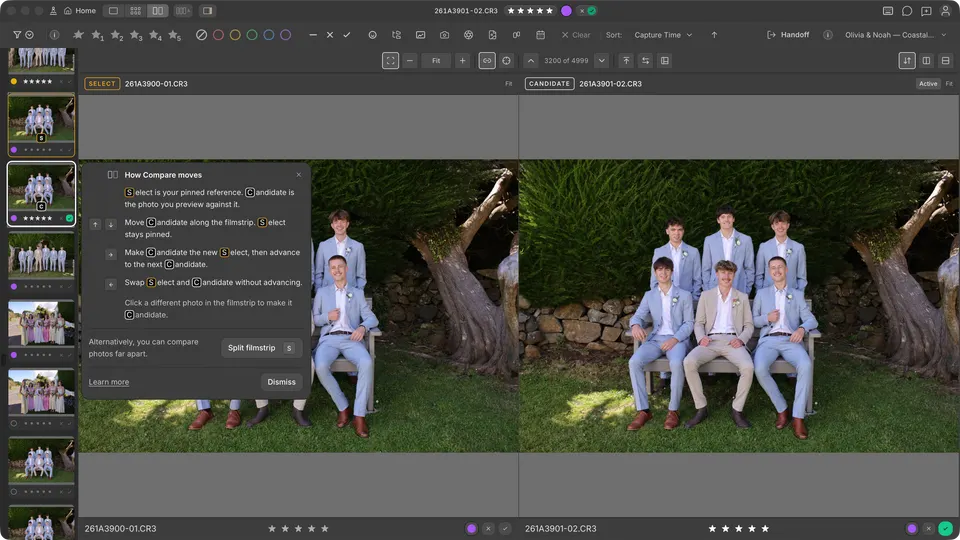
Press C to pin one photo as Select and inspect another as Candidate. Use Compare to reduce a sequence to its strongest frame while keeping your current best choice visible.
- With the filmstrip on the bottom, use ← / → for the previous or next Candidate. With a side filmstrip, use ↑ / ↓ so movement follows the visible strip.
- Swap and advance: press ↓ with a bottom filmstrip or → with a side filmstrip. Candidate becomes the new Select, then the next Candidate appears.
- Swap only: press ↑ with a bottom filmstrip or ← with a side filmstrip. Select and Candidate exchange places without advancing.