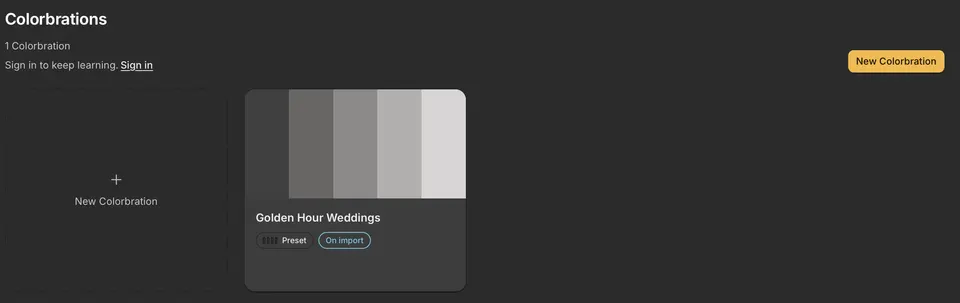
Home → Colorbrations shows every Colorbration with its colors and what it is doing. Double-click one, or choose Manage Colorbration… from its menu, to open Manage.
What its label means
- Preset: applies your preset as it is.
- Learning · edits: applies your preset while it learns from your edits.
- Collecting · edits: a Professional Colorbration gathering finished edits. It appears in Handoff once it is trained.
- Trained · v1: a trained version adjusts each photo to your style.
In Manage
- Learning shows how many edits it has learned from and what it is doing now.
- Add past edits finds more finished edits in your catalogs.
- Choose a version picks the version Handoff applies, or Preset only.
Archive or delete
- Archive takes a Colorbration out of Handoff and stops it learning. Choose Show archived to see archived ones, and Restore to bring one back.
- Delete removes a Colorbration that hasn't learned from any edits yet. One that has can only be archived.
- Archiving or deleting never changes your photos or your Lightroom edits.
- A Colorbration lives on the computer where you made it.